Web Weekly #181
Guten Tag! Guten Tag! 👋
Will you use Chrome's new <geolocation> HTML element? Are you excited about CSS anchor positioning going baseline? And do you know what a self-closing <div /> really does?
Turn on the Web Weekly tune and find some answers below. Enjoy!
Olivier listens to "Shelf Lives - Where Did I Go?" and says:
I simply love this song's power and energy!
Do you want to share your favorite song with the Web Weekly community? Hit reply; there are five more songs left in the queue.
The new Web Almanac was released! If you don't know about the project: the team behind it takes all the data gathered from the HTTP Archive to analyze and understand the "state of the web". It's always super interesting to read and, almost as a tradition, I went over it and shared the interesting facts on Bluesky. Here are some fun ones.
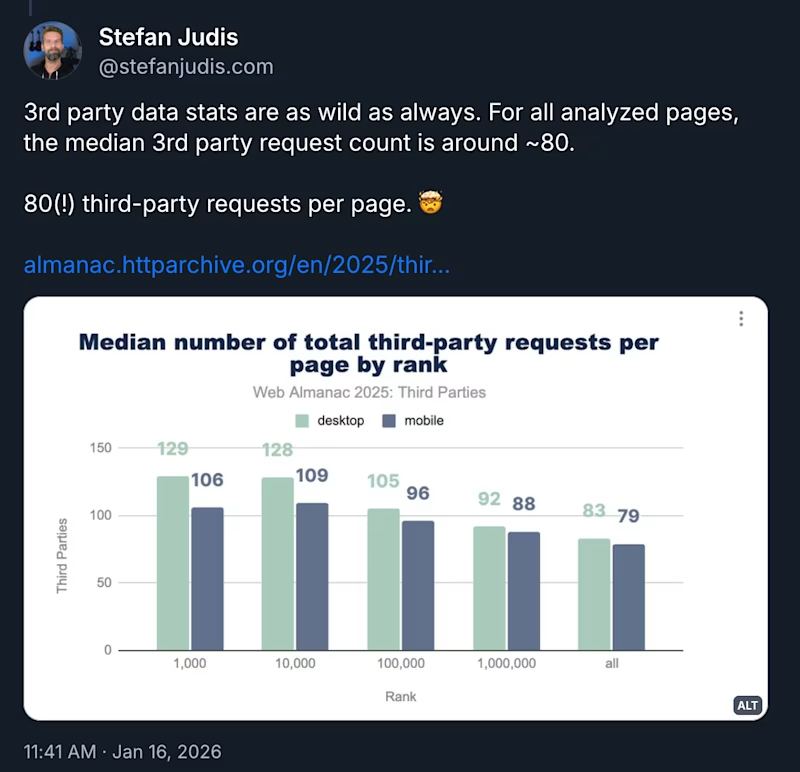
The amount of third-party activity on the web is just mind-boggling...
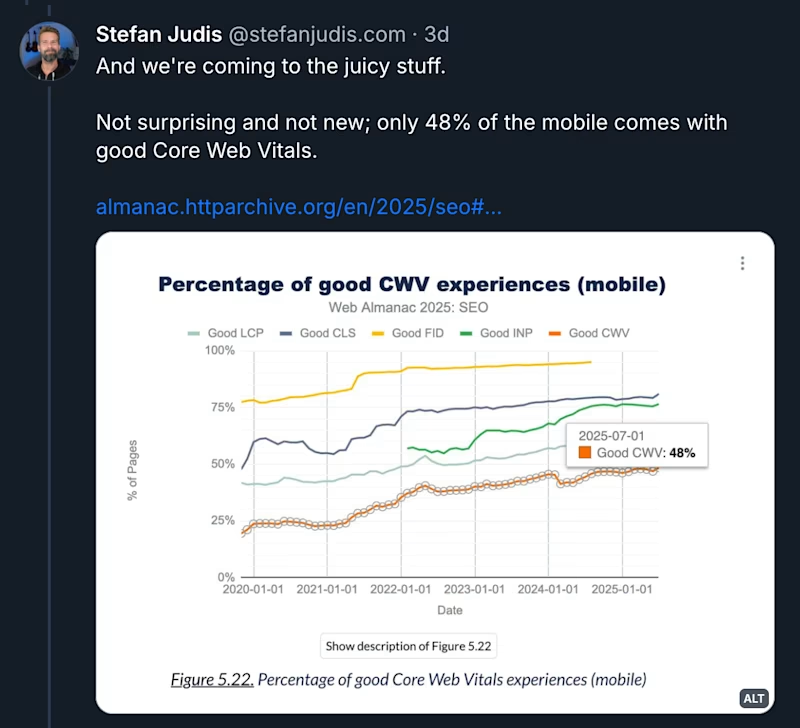
The web is slow...
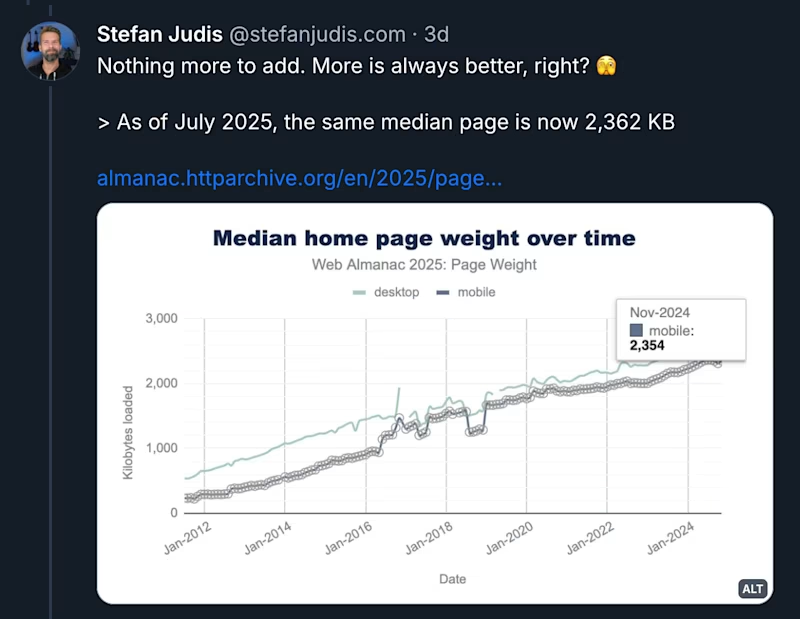
... and heavy. The median site is 2.3MB primarily to ship some text and images. Wild times!
If you're curious about more bite-sized stats, Geoff blogged about it, but either way:
Give the Almanac a read; it's a ton of work (kudos to all the authors and analysts) and you'll definitely learn something new!
A huge thank you and a huge bag of karma points go to Jens and Temani this week. Thank you for supporting indie publishing by covering a small fraction of the cost it takes to send Web Weekly every week! ❤️
If you enjoy Web Weekly, too, join 34 supporters on Patreon or GitHub Sponsors. It really makes a difference!
If you enjoy Web Weekly, share it with your friends and family.
A quick "repost" really helps this indie newsletter out. Thank you! ❤️
Something that made me smile this week
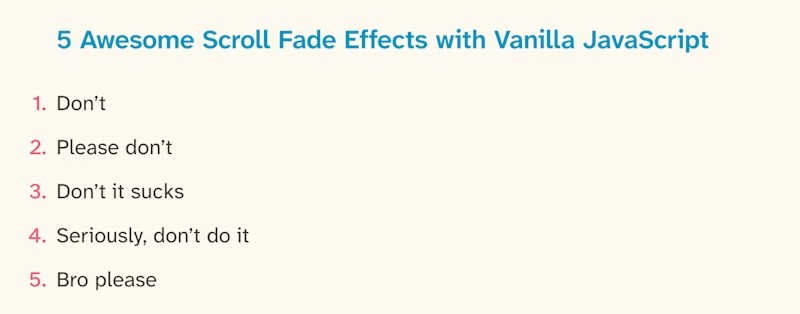
David rants about the all-too-common "scroll-to-fade" technique. Thinking back, I've been lucky enough to never actually have to build one of these. I mean, why would you heavily delay showing precious content, right?
David's idea of the web developer community pretending that this feature is impossible to build made me smile, though.
We're all developers here. Can we collectively pretend scroll fade is technically impossible now?
It's funny though, because scroll-driven animations only recently entered the web. I guess it's like all fancy web dev things: let us all be responsible for the things we build.
No code
- Life Happens at 1x Speed → "The irony is that consuming faster often means processing less."
- Good conversations have lots of doorknobs
Exciting new Chrome features
Chrome is always at the forefront of releasing new things, but there have been some changes that really fix fundamental web issues. Bramus was on a roll and blogged about all of them.
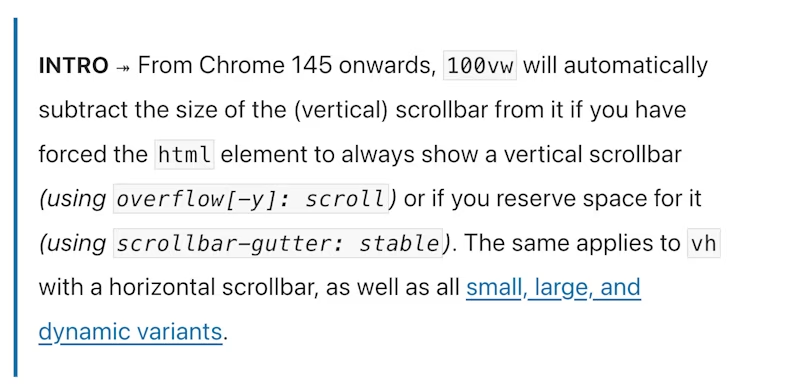
If you're fighting the problem that 100vw doesn't consider scrollbars, a Chrome change landing in 145 might help.
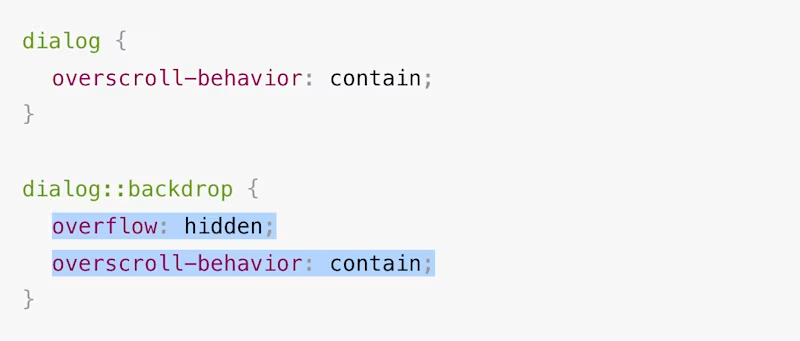
You probably know the problem that when you open a modal dialog, you have to set overflow: hidden on the html element to prevent the underlying content from scrolling. It works but was never a good solution. Chrome now supports a better way to do it. Let's hope the other vendors follow suit quickly.
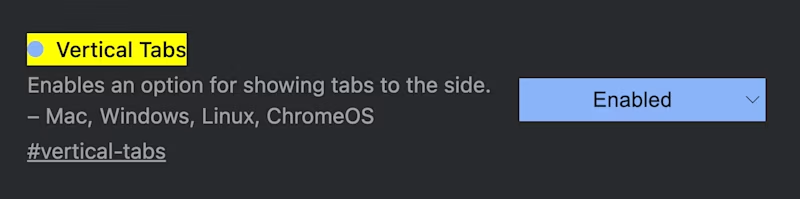
And lastly, an experimental version of vertical tabs for Chrome is in the making. 🎉
Sound on websites
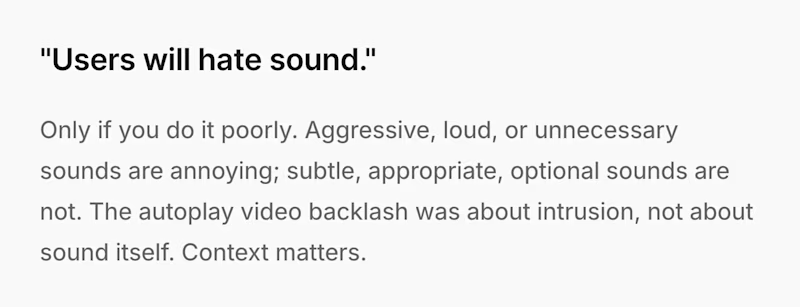
I know of exactly two websites that use sounds: one is Josh's blog and the other one is LinkedIn. Every time I upload a video on LinkedIn, it beeps, and honestly, I like it. Should there be more sound effects on the web?
Bouncy window resizing
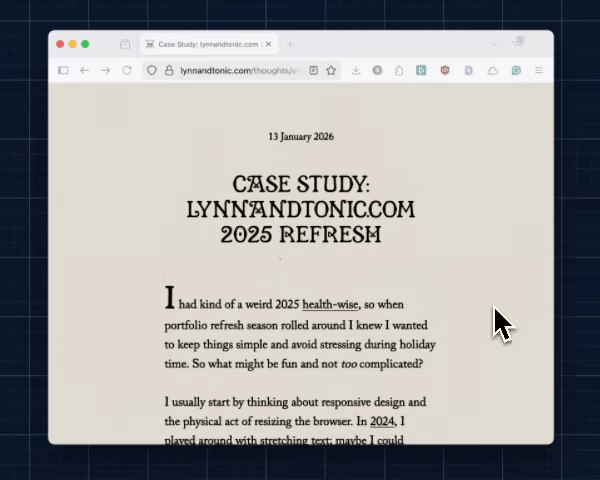
Lynn Fischer redesigns her site every year, and it's always great. The 2021 redesign was incredible (resize the window!). This year the redesign is a bit more subtle but still includes fun resize functionality using the ResizeObserver API.
Web interface guidelines
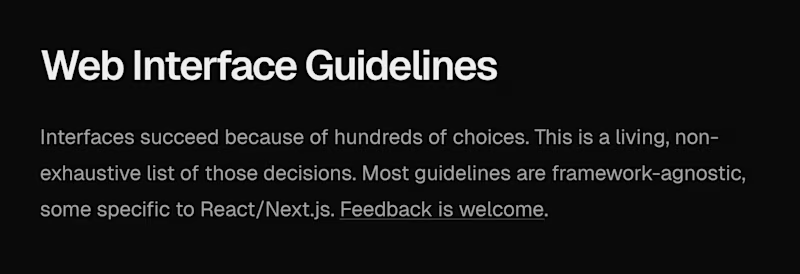
I'm really no fan of Vercel, but their public interface guidelines include good stuff. Do you know of more companies putting these out? I'd love to learn about the UI quality standards of other big players.
The wonderful weird web – Draw on the world map

There's this site where people can log in to draw pixel art on the maps of this world, and it's a wonderfully weird collection of pixel art. This is how my area looks! 👆
The custom elements manifest
I heard about the Custom Elements Manifest for the first time when Dave blogged about it, and it seems like it will improve the tooling around web components drastically.
If I understand this correctly, you can now scan, parse, and document your web components to display them in Storybook or have much-needed editor completions.
What actually is TTFB?
If you care about web performance, looking at Time to First Byte is often a first step. But what does this metric actually tell you? It turns out things are very complicated when you look at the first bytes. Robin provides massive detail and explains what you need to watch out for! Highly recommended.
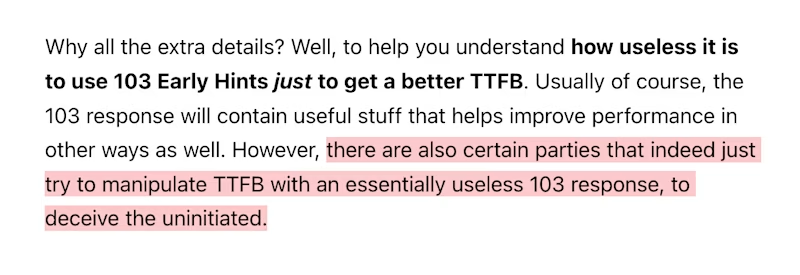
And if learning about TTFB isn't enough, the post also includes some spiciness showing how "certain" companies fake a good TTFB metric with useless 103 Early Hints headers. Ouch.
More declarative HTML: <geolocation>
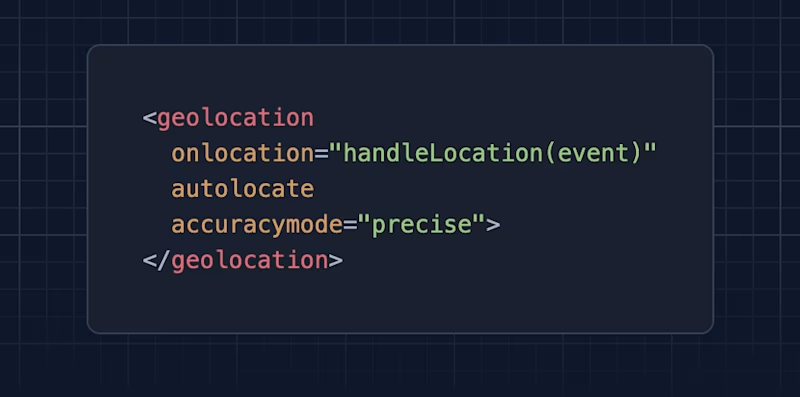
Chrome 144 (released last week) ships a new HTML element. And what can I say? I'm all for more native elements!
And if you're into declarative HTML, you should definitely check out Invoker Commands, which recently went into Baseline!
For the Mac users

I thought I was pretty good on the Mac power user scale, but after reading these tidbits, I noticed that I need to level up. This tip, for example:
Hold
⌘to interact with background windows without bringing them into focus.
I mean, what? How could I not know about this?
Random MDN – system-ui and friends
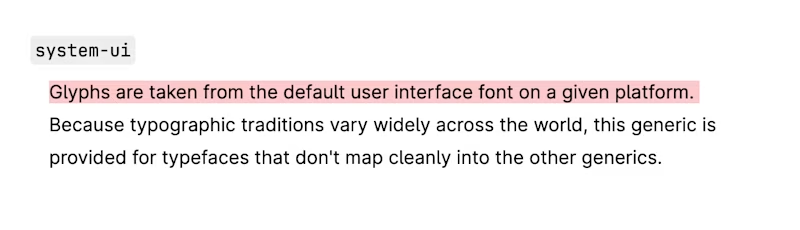
From the unlimited MDN knowledge archive...
Did you know that you can set the default operating system font via font-family: system-ui? There's also ui-serif, ui-sans-serif, ui-monospace, and ui-rounded; they're Safari-only, but useful if you're after the original Apple look.
TIL recap – Are self-closing HTML elements a thing?
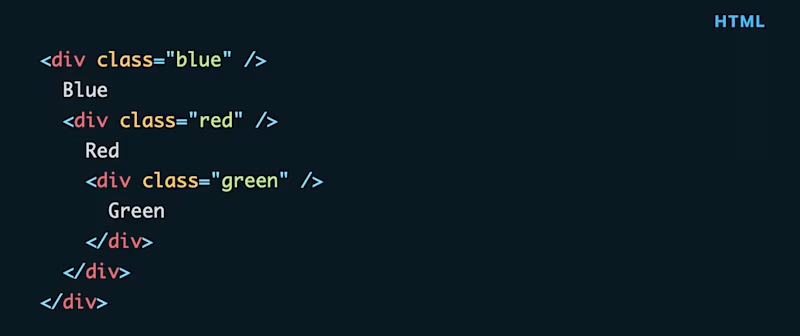
Trick question: can you imagine what the HTML above renders? Note the self-closing div elements.
I won't reveal the answer, but there's a high chance that you'll be very surprised.
Find more short web development learnings in my "Today I learned" section.
New on the baseline
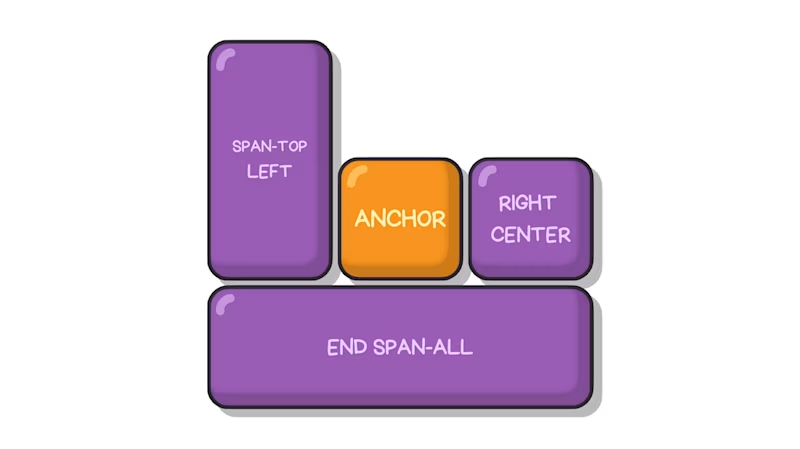
With Firefox 147 (released last week), CSS anchor positioning moved into cross-browser territory. If you were holding back on learning this incredible new CSS feature because the browser support wasn't there, now's the time to look into it!
And a good start is the CSS-Tricks reference guide.
And if this guide is too long for you today, here's a very practical example from Chris.
Three valuable projects to have a look at
- brunopulis/awesome-a11y – A curated list of accessibility resources.
- 3ru/eslint-plugin-baseline-js – ESLint plugin to enforce the JavaScript Baseline.
- argyleink/css-color-component – A modern color picker for the web with support for all spaces.
A new Tiny Helper
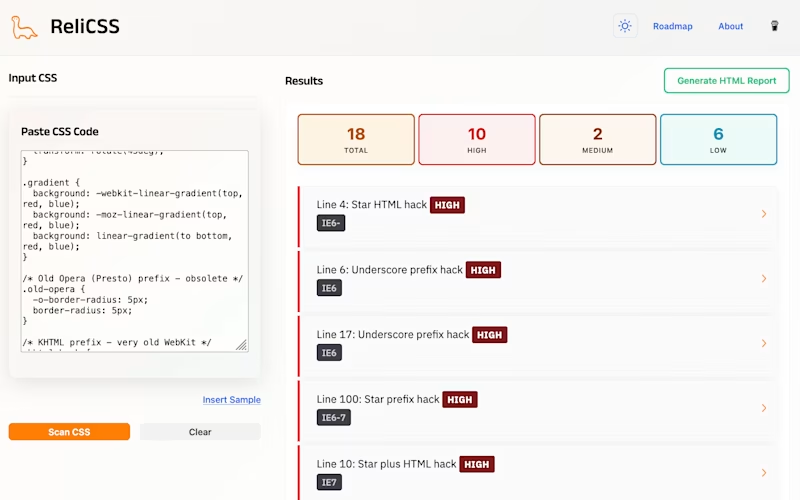
Do you remember all those wild CSS hacks we had to deal with a decade ago like *+html .ie7-only {} or ::-moz-selection? Luckily those times are mostly gone, but they'll probably live on forever in old CSS resets andaAbandoned sites. If you want to double-check whether you're shipping relics from the past, ReliCSS can help discover them.
Find more single-purpose online tools on tiny-helpers.dev.
Thought of the week
Here's Jim (one of my favorite bloggers) with something I can very much stand behind in the new world of "no effort" creations and coding.
My desire to give you constructive feedback is in direct correlation to your effort to care — about your communications, about what you ship, even about what you don't ship.
Did you learn something from this issue?
❤️ If so, join 34 other Web Weekly supporters and give back with a small monthly donation on Patreon or GitHub Sponsors.
This is all, friends!
Loved this email? Hated this email? I want to hear about it!
If you think something needs improvement or something sparked some joy, reply to this email because I want to know more!
And with that, take care of yourself - mentally, physically, and emotionally.
I'll see you next week! 👋
Join 6.5k+ developers and