Web Weekly #182
Guten Tag! Guten Tag! 👋
Have you had a look at the new Navigation API (baseline newly available) already? Do you know about the formmethod and formaction HTML attributes? And are you as excited about custom invoker commands as I am?
Turn on the Web Weekly tune and find some answers below. Enjoy!
Mike listens to "Is It Making You Feel Something?" by Superchunk and says:
One of my all-time favorite bands put out a new record this year, and the title track is a simple instant classic with a fun little chorus.
Do you want to share your favorite song with the Web Weekly community? Hit reply; there are five more songs left in the queue.
Daniel blogged about highlight pseudo-elements. And if you don't know what they're about, don't worry, I learned a ton, too!
The commonly known one is probably ::selection to style the text someone marks on a page.

But wait for it, there are also a lot of funkier ones.
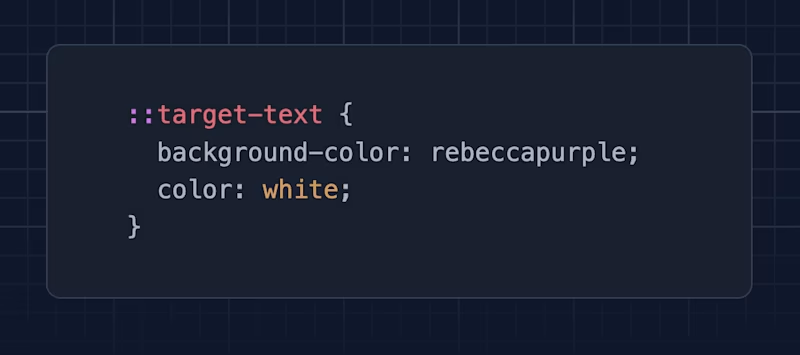
There's ::target-text (baseline newly available) which you can use to style highlights defined in the URL (#:~:text=hello):
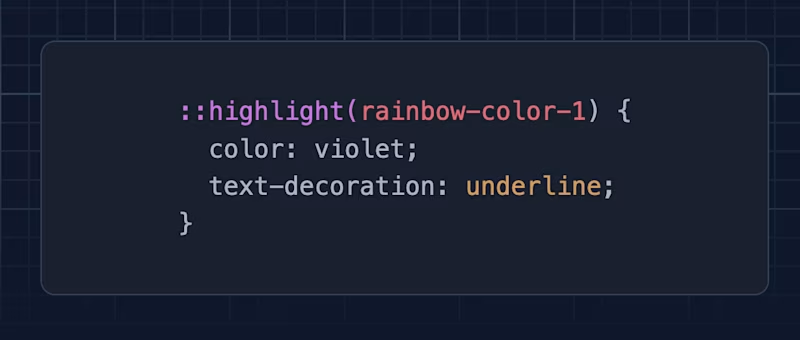
Then there's ::highlight() (almost baseline ready — Firefox has some minor issues) to add custom text highlights to your page. You might now wonder when to use this feature; the <syntax-highlight /> element provides code highlights without the usual span soup.
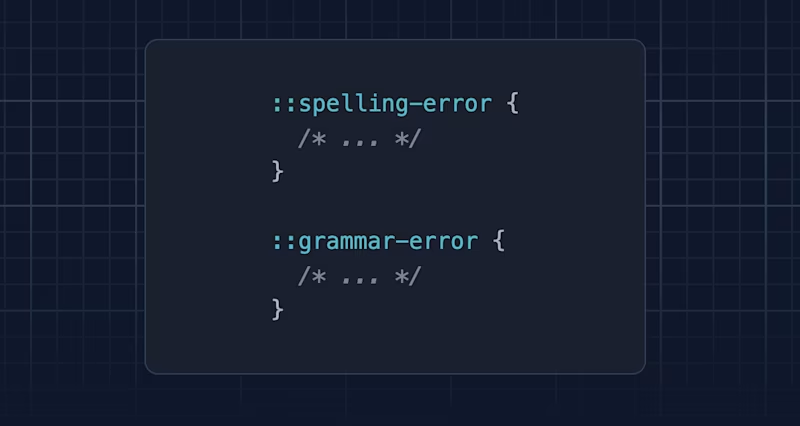
There are also ::spelling-error and ::grammar-error. Unfortunately, these two aren't in the baseline yet.
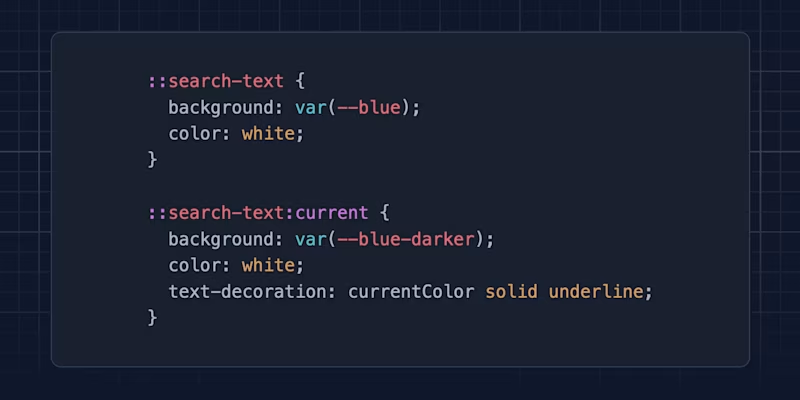
And very new, hot off the press: there's now ::search-text to style "find in page" results, which just shipped in Chrome 144. There are no real docs for ::search-text yet. Check out my quick blog post to learn more.
I keep being amazed by how far CSS has come!
If you enjoy Web Weekly, share it with your friends and family.
A quick "repost" really helps this indie newsletter out. Thank you! ❤️
Web Weekly housekeeping
Web Weekly's open rate is at 48% these days. Marketers would be jealous, but not too long ago it was in the mid-fifties. I'm not really concerned about it (yet), but Cassidy shared that her newsletter stats improved simply by asking people to reply to her emails. Even though I risk destroying my inbox with this ask, if you enjoy my tiny newsletter, could you reply to it? I'd really like to see if more replies will help Web Weekly get into the primary inbox.
Secondly, David reported that Web Weekly doesn't work well in the Spark email client. I'm considering going full-blown custom HTML for a while. Are there more issues? Do you have any troubles reading the email in your client? If so, you guessed it, hit reply and let me know!
And lastly, writing Web Weekly takes a lot of time. And with the AI-volution being in full swing, I sometimes wonder if there's a future for blogging, curating, and indie publishing. If you enjoy Web Weekly, earn yourself a huge bag of karma points and join 33 supporters on Patreon or GitHub Sponsors. It really makes a difference!
And that's it! Now, let's really get into some web stuff. This edition is jam-packed and full of good stuff!
Something that made me smile this week
I've just discovered detail.design, and it's nothing but amazing to look at well-crafted UI examples. That's the stuff I want to see on the web!
No code
- "The Hidden Benefits of Quitting" → "If a longstanding commitment no longer feels rewarding to you, take those feelings seriously."
- "I waste so much time chasing people." → I love the company-internal anti-ghosting rule!
- "Invisible work" → "Watch who people actually rely on when something important needs to happen."
CodePen 2025 highlights

Our friends over at CodePen released 2025's most popular pens, and, of course, the collection is full of eye candy. I'm always amazed by the quality people put into "fiddling on CodePen" but without surprise, my favorites were the ones coming without three.js or GSAP.
- Check this CSS/SVG-only checkmark effect
- Learn how to implement inset border radius effects
- Use SVG to create holographic effects
And my absolute favorite is this electrified border; no JS required!
Two handy promise.all utils

I usually list interesting GitHub projects at the end, but this JavaScript util is such a banger that it deserves its own spot! You know that when you use Promise.all you can wait for promises to resolve in parallel. However, things become interesting when the promises depend on each other.
Usually, you'd then need to untangle everything to get the optimal loading order. better-all does this for you! I love it!
![function parallelize<T extends unknown[]>(promises: { [K in keyof T]: Promise<T[K]> }) { return Promise.all(promises) }](https://images.ctfassets.net/f20lfrunubsq/2KDWaEjtibFjG8uBd6YHEd/63b065fc6d5ad92c3ad68a7e077e0493/Screenshot_2026-02-02_at_13.46.08.png?w=800&fm=avif)
If you want to ensure you never await your promises before passing them to Promise.all, use this handy parallelize TypeScript util!
The :only-child view transition trick

Chris blogged about React's new ViewTransition element and dropped a link to a nifty view transition trick.
View transitions make it very easy to morph elements into a new state, but I still struggled creating custom enter/exit animations. Cyd shared how you can use :only-child for this. TIL!
Custom invoker commands

Invoker commands just recently went into the baseline. The command and commandfor attributes let you define interactivity with declarative HTML.
But what about custom functionality? Pawel shares an often overlooked feature, explaining that you can define custom commands with a double-dash (--do-something). Good stuff!
The wonderful weird web – Draw a horse

When I first looked at this "project", I didn't really understand what was in front of me. I've got no idea who made this or why, but I'm fascinated by the ambition to use software to draw a horse in the most ridiculous ways. Chapeau!
A new meta element is coming to town
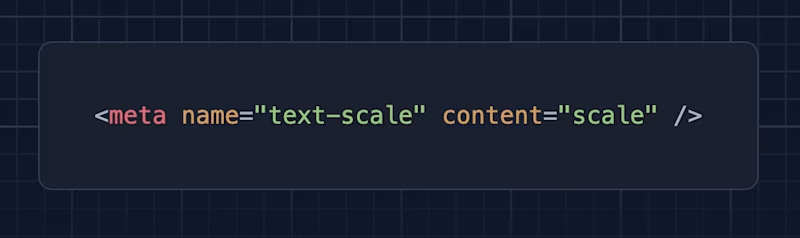
To be honest, I didn't know that most mobile browsers don't pick up when the default OS font size is bumped up. Josh shares the current state and how a new meta element can help make the web a bit more usable.
Accessibility barriers introduced by text effects
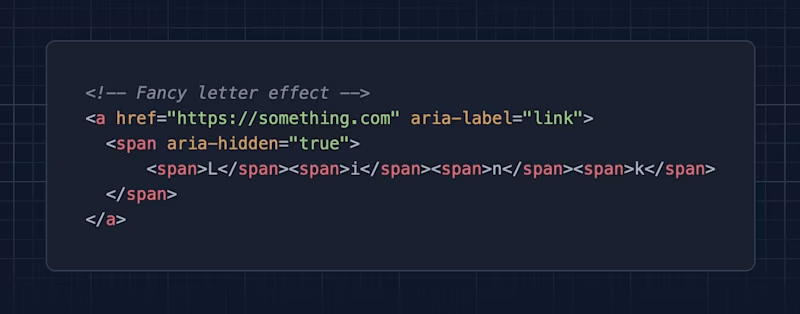
First off, if you're not reading Adrian's blog, you definitely should. I'm thankful and amazed by the accessibility knowledge he shares for free and the effort he puts into testing web interfaces.
Now, if you ever wondered whether fancy text effects paired with countless span elements, aria-hidden, and aria-label have an impact on UX or A11y, this post might become a future reference piece!
The problem of modern frontend development

Paul went on the journey to understand how radio buttons are rendered when using a "modern Frontend" (ShadCN and Radix) and well...
To understand how our radio buttons work I need to understand two separate component libraries and hundreds of lines of React.
Yet another great CSS reset

Nothing more to say than I just love reading people's CSS resets. Here's Declan's take, and it includes some smart tricks!
Quick HTML tricks
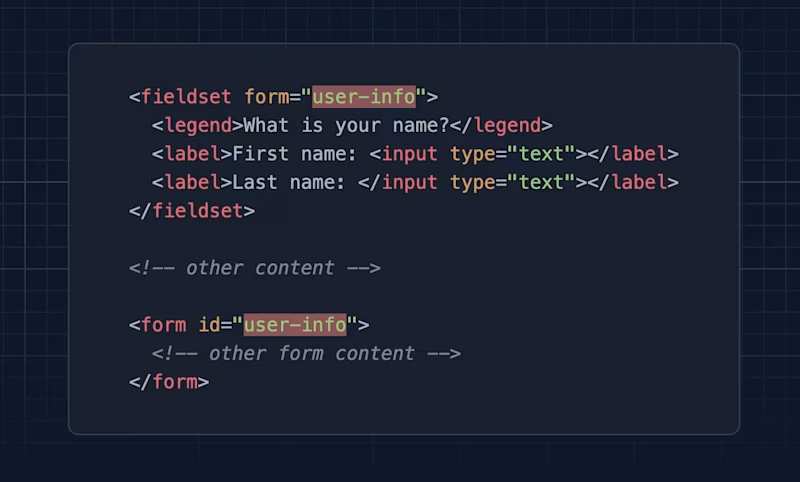
Quick'n'dirty; do you know that you can place form elements outside of the actual form? Kevin describes how to do it with a fieldset. But it works with input and button elements via the form attribute, too.

And speaking of buttons, here's another party trick: you can overwrite a form's action or endpoint via formaction and formmethod. This is wild, isn't it?
Anchor positioning isn't just for popups
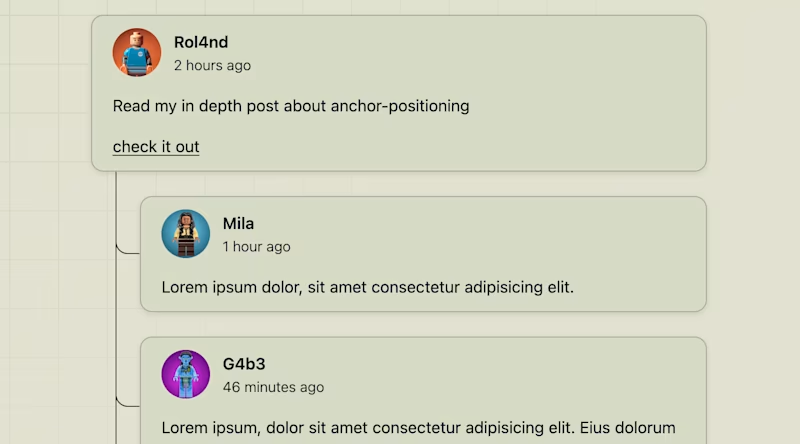
Anchor positioning entered the baseline last month, and while everyone is talking about popups, Roland shares how to use the feature to draw connections with pseudo-elements. That's some very funky CSS!
FYI: the page widget shows that anchor positioning isn't in the baseline yet. I checked the demo in Chrome, Firefox, and Safari, and it renders fine.
Random MDN – console.timeStamp

From the unlimited MDN knowledge archive...
Do you know that there's a non-standard console method to add markers to the dev tools performance panel? It's primarily a Chrome thing, but I think that's where we're all debugging perf issues anyway, right?
TIL recap – . doesn't match all characters in regular expressions
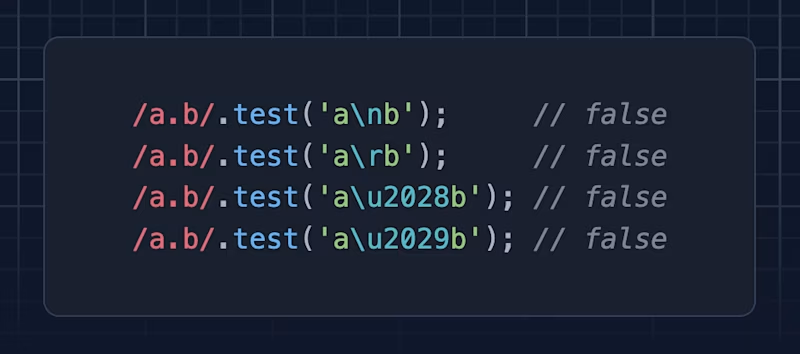
Even though I blogged about it nine (!) years ago, I ran into a regular expression "bug" the other day. Do you know that . doesn't match all characters?
Find more short web development learnings in my "Today I learned" section.
New on the baseline

With Firefox 147, the Navigation API entered the baseline. It's the successor to previous web platform features such as the History API and window.location. If you want to learn what it's about, Ollie has been secretly blogging about it!
- The navigate event
- Initiating navigations with the Navigation API
- Focus Management with the Navigation API
- Preventing same-document and cross-document navigation
All these posts will definitely get you up to speed!
Three valuable projects to have a look at
- steipete/RepoBar – Yet another native GitHub repo status app.
- vicanso/zedis – A native Redis GUI built with Rust and GPUI.
- tldev/posturr – A macOS app that blurs your screen when you slouch.
A new Tiny Helper

If you wonder how you're tracked across the internet, "Exposed by default" provides all the information your browser shares about you. And it's a lot!
Find more single-purpose online tools on tiny-helpers.dev.
Thought of the week
Carl shares how friction can sometimes be a good thing, and I agree with every word.
Humans don't operate best at machine speed. We think, hesitate, reconsider, and change our minds. Design that ignores this doesn't make people more efficient — it instead pushes them to move faster than their intent.
Did you learn something from this issue?
❤️ If so, join 33 other Web Weekly supporters and give back with a small monthly donation on Patreon or GitHub Sponsors.
This is all, friends!
Loved this email? Hated this email? I want to hear about it!
If you think something needs improvement or something sparked some joy, reply to this email because I want to know more!
And with that, take care of yourself — mentally, physically, and emotionally.
I'll see you next week! 👋
Join 6.4k+ developers and