Web Weekly #192
Guten Tag! Guten Tag! 👋
Have you heard of the new <install> HTML element? Do you use round() in your CSS? And do you cancel requests with AbortSignal.timeout?
Turn on the Web Weekly tune and find some answers below. Enjoy!
Web Weekly Jukebox
Humanity's Last Breath - Godhood

Truly heavy music doesn't need high BPM, blast beats and millions of notes. Sometimes all it takes is one heavy AF riff and a perfectly fitting music video.
Do you want to share your favorite song with the Web Weekly community? Hit reply; there is only one more song left in the queue. 😱
This week I learned that Firefox and Safari sometimes behave differently depending on the site you're on. I honestly had no idea. How can this be possible?
It's because of Chromium's dominant market share. Developers test in Chrome. Other browsers are often forgotten, and if something doesn't work in other browsers, users won't blame the site. They will blame the browser. Safari and Firefox simply try to provide a good experience.
Den got into the specifics in a fabulous investigation post. Here are some quotes.
Apparently, Firefox and Safari ship "quirks files" that are publicly accessible in version control.
The quirks files aren’t just fixing broken sites; they’re often compensating for Chrome’s control over what “working” means in the first place.
And Chrome doesn't need one because, frankly, it's the standard.
Chrome doesn’t need quirks because Chrome’s interpretation of web standards is the version that everyone else works to.
What can we do about it? Testing in multiple browsers!
Open your site in Firefox and Safari. Not occasionally, not before a big launch, regularly. The quirks files exist because developers didn’t do that.
It's a great read. Thanks, Den!
And if you want to dive deeper into the topic of web compatibility: here's a handy map with all the resources.
If you enjoy Web Weekly, share it with your friends and family.
A quick "repost" really helps this indie newsletter out. Thank you! ❤️
Wonderful websockets, pusher-compatible
Vask is a managed websocket platform for modern developers. It speaks Pusher, so you can switch in 3 minutes, but it runs on the edge close to your users for low-latency. Use coupon WEBWEEKLY for 20% off for life.
Web Weekly is open for sponsorships. When you want to reach 6k developers, you know what to do!
Something that made me smile this week
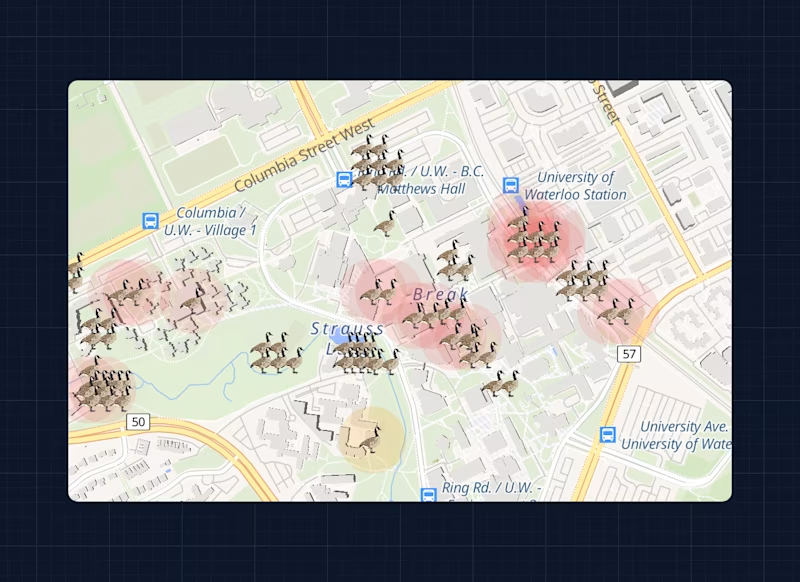
The University of Waterloo has a problem: geese on campus. And the problem got so out of hand that students need to take different paths to class to not get attacked. How do they know where it's safe to walk? Of course, someone built an app for that. 😅
No code
- It's 2026 and women are still asked to teach others to think a little bit and not be a prick → "In male dominated fields, [...], the bad apples are there and they make your life a living hell."
- Prepare your “no” and keep it handy → "I took an hour to write a really nice “no” in advance."
When the O(n^2) trap hides in plain sight
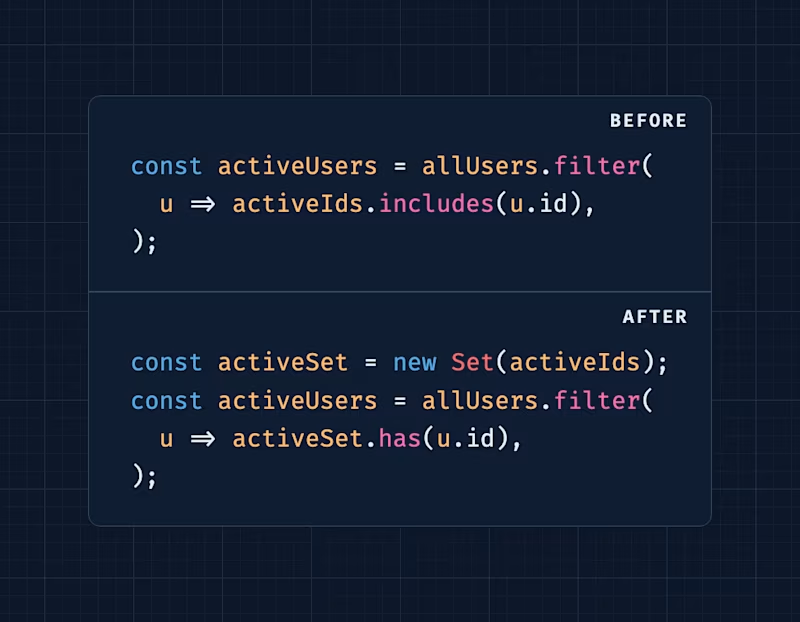
I rarely deal with Big O notation. Aral explains how to discover overly complex code and provides quick fixes. I love it!
How to build mobile-safe layouts
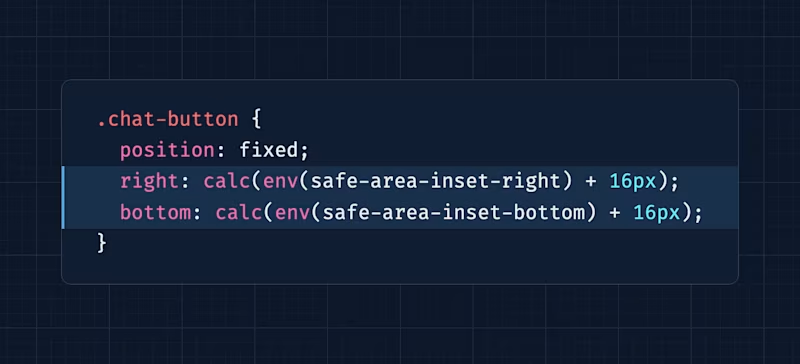
Kilian explains how safe-area-inset-* can give you that extra bit of polish for mobile UIs. The post includes interactive demos, too. Nice!
What are constructable stylesheets?
![// Create a stylesheet object const sheet = new CSSStyleSheet(); // Populate it (synchronous) sheet.replaceSync(`button { background: hotpink; cursor: pointer; } `); // Or attach it to the document itself document.adoptedStyleSheets = [sheet];](https://images.ctfassets.net/f20lfrunubsq/zCmQf6LzsuVjSdwHiuXmG/65aa203721abef4ac637cd50bfd7cb8a/code-shot-constructable-stylesheets.png?w=800&fm=avif)
This post covers many internals of Lit and explains how the framework handles styles shared across components. But the beginning alone is golden if you want to understand what new CSSStyleSheet() is about.
More declarative HTML: <install>
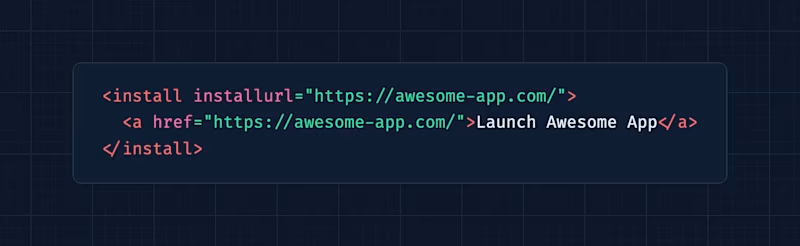
There's a new declarative HTML element in town. It's experimental, but hey, I'm all game for these new elements. <install> renders a trusted install button for you, which then provides a web app installation flow without JavaScript required. Nice!
What do you think of these new elements? Chromium also ships <geolocation> and there's <usermedia> in the making.
The wonderful weird web – Some rain for your second screen

If you like rain and are looking for a soothing image on your second screen, you'll dig this!
Unicode, emojis and surrogate pairs
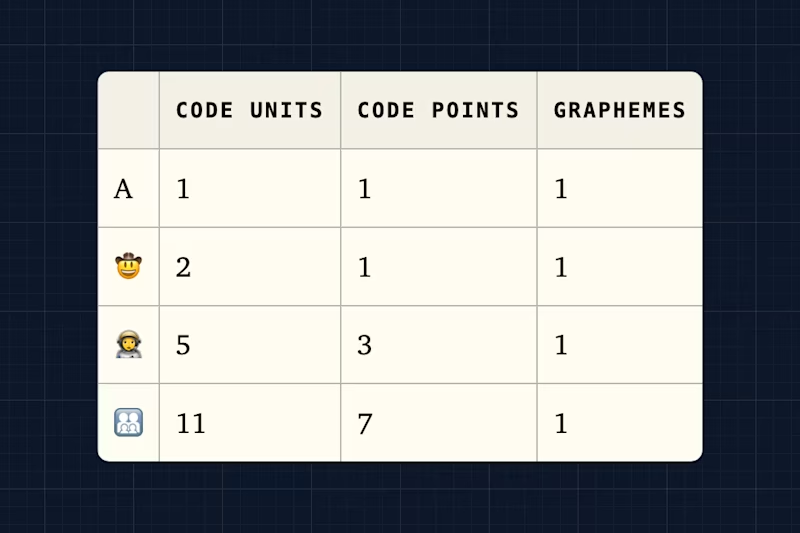
George shares his favorite bug of all time and explains how unicode and emojis work internally. I love it!
Any code that does str.slice(0, 1) or str[0] to get "the first character" is potentially broken.
Do we need round() in CSS?
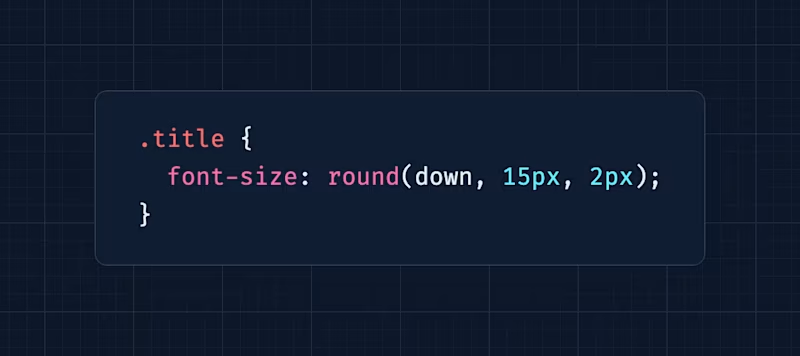
I was a bit skeptical about whether I really needed to adopt round() when I started reading Ahmad's post, but I think he convinced me because seeing floating values (23.2px etc) always bugged me and there are some more cases when rounding values comes in handy.
Round, and round, and round...
The web-features-cli
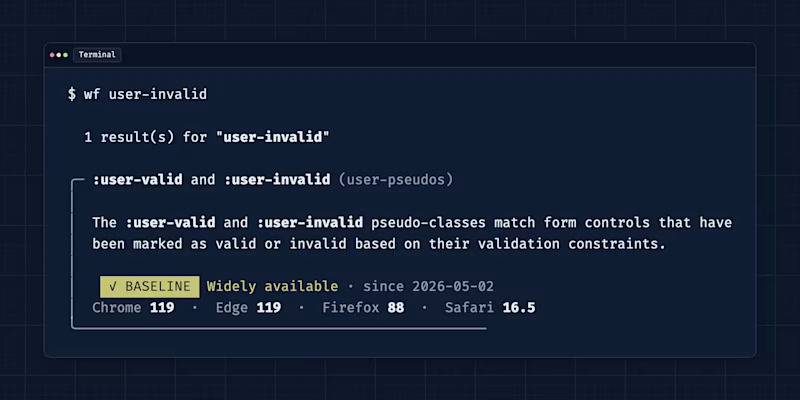
Short'n'sweet: if you live in the terminal and want to access browser support, bugs, baseline status, and specs right there, the W3C WebDX Community Group released a new CLI! 🎉
Random MDN – AbortSignal.timeout
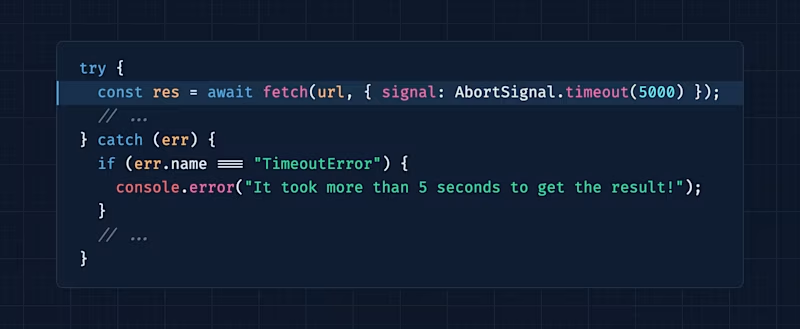
From the unlimited MDN knowledge archive...
Did you know that you can pass AbortSignal to your fetch calls? And even cooler, did you know that AbortSignal supports a timeout method? Well, now you do! 😎
TIL recap – alternative text for generated content
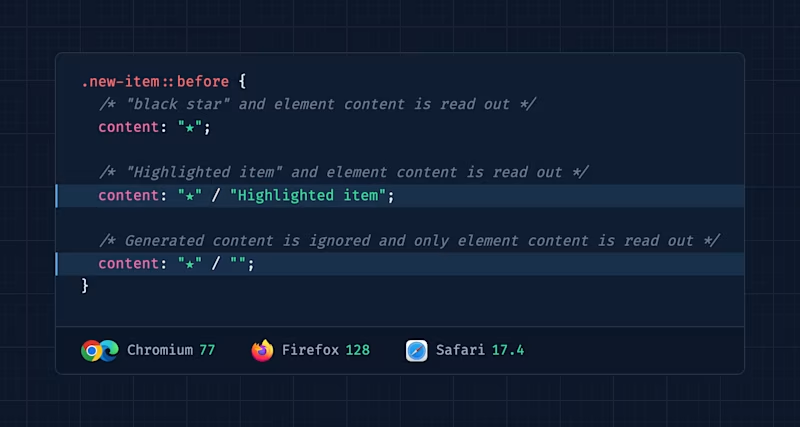
When you're using content, you must always be careful because this content can also make it into the accessibility tree. For a while now, you can define alternative text right in CSS and that's pretty cool! Learn more about it on the blog.
Find more short web development learnings in my "Today I learned" section.
New on the baseline
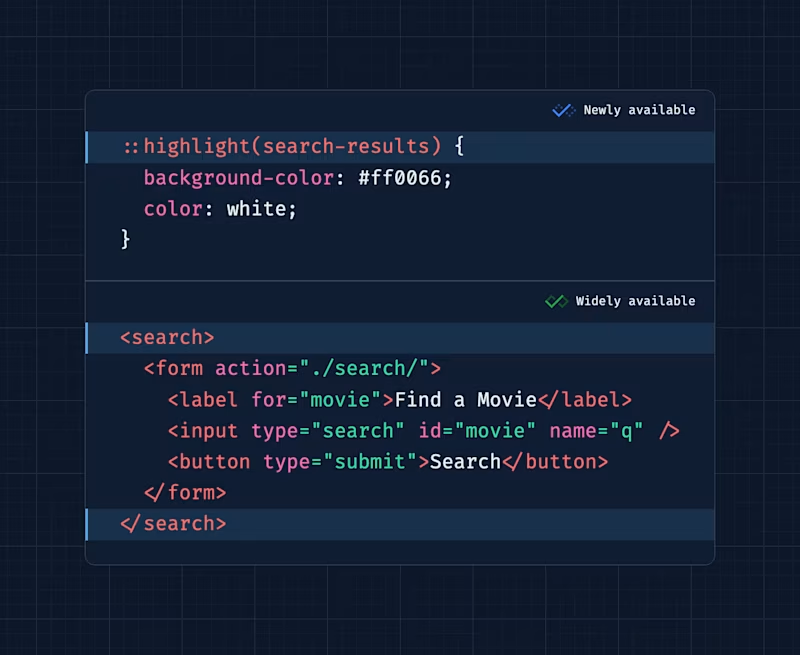
Since April, the search element is Baseline widely available! And if you're on the cutting edge, ::highlight() is Baseline newly available since March.
Classifieds & friends
Sara is running a sale on her Practical Accessibility course right now to honor this year's Global Accessibility Awareness Day. It's a whopping 25% off. If you want to level up your accessibility game, now's your chance!
Three valuable projects to have a look at
- erictli/scratch – A minimalist, offline-first markdown note-taking app.
- joseph/mud – A perfect markdown viewer for macOS.
- aarongustafson/form-saver – A web component that stores (and restores) values within the form it wraps.
A new Tiny Helper
Just because I just checked the Web Weekly feeds, if you're shipping RSS feeds on your blog (which I hope you do), here's the official W3C validator. Let's keep things valid, shall we? 🫣
Find more single-purpose online tools on tiny-helpers.dev.
Thought of the week
Reducing the team [because of AI] does not reduce the number of things that can go wrong. It reduces the number of people available to own them.
Did you learn something from this issue?
❤️ If so, join 40 other Web Weekly supporters and give back with a small monthly donation on Patreon or GitHub Sponsors.
This is all, friends!
Loved this email? Hated this email? I want to hear about it!
If you think something needs improvement or something sparked some joy, reply to this email because I want to know more!
And with that, take care of yourself - mentally, physically, and emotionally.
I'll see you next week! 👋
Join 6.5k+ developers and